
 By Mary Sun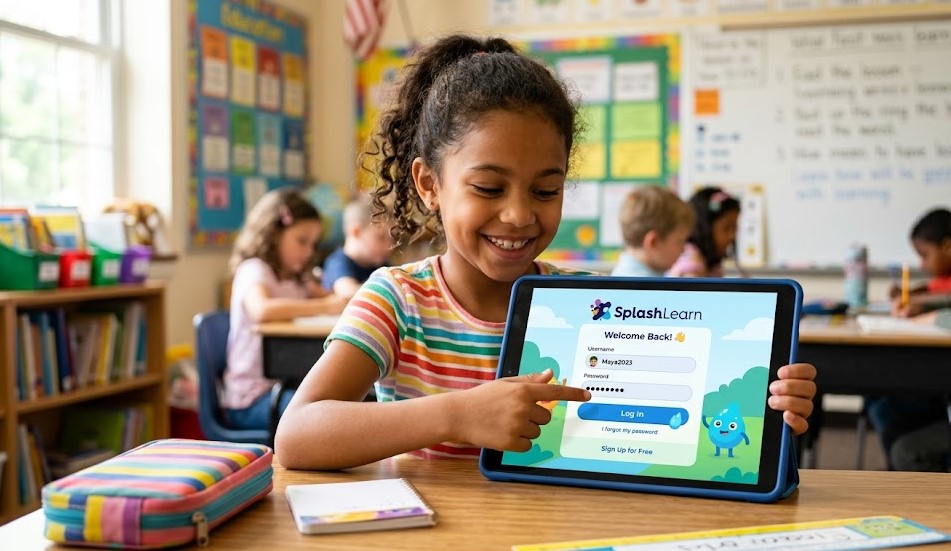
SplashLearn is an interactive learning platform designed to help children improve their math and reading skills through fun, game-based activities. It replaces traditional boring study methods with engaging lessons that keep students motivated while learning. The platform is widely used in schools and homes because it adapts to each student’s level and provides a personalized learning experience.
It works by allowing teachers or parents to assign lessons, quizzes, and practice games, while students complete them online. Every activity is tracked so progress can be monitored easily. This helps teachers identify strengths and weaknesses and support students more effectively.
Step-by-Step SplashLearn Student Login Process
The SplashLearn Student Login process is designed to be simple so that students of all ages can access their learning dashboard without difficulty. First, students open the official SplashLearn platform and select the student login option. After that, they are usually required to enter a class code or login credentials provided by their teacher.
Once the correct details are entered, students are directed to their personal dashboard where all assigned lessons, games, and activities are available. From here, they can start learning immediately and continue their progress without any interruption. The system automatically saves progress so students can pick up right where they left off.
Login Using Class Code
The most common method for SplashLearn Student Login is using a class code provided by the teacher. This code is unique for each classroom and ensures that students are placed in the correct group. After entering the class code on the login page, students may be asked to select their name or enter a simple password if the teacher has set one.
This method is widely used in schools because it is fast, secure, and easy for children to understand. It removes the need for complex usernames and helps teachers manage all students in one organized system. It also ensures that each student receives lessons that match their grade level and learning needs.
Login via App and Supported Devices
SplashLearn also provides access through its mobile application, making it easier for students to learn anytime and anywhere. The app is mainly designed for tablets and iPads, where the interface is more child-friendly and interactive. Students can log in using the same class code or credentials provided by their teacher, just like on the website.
Once logged in, the app gives smooth navigation with games, lessons, and practice exercises optimized for touch screens. It is important to use an updated device and stable internet connection for the best experience. While mobile phones may support limited features, tablets generally provide the most complete learning experience.
Common Login Issues and Fixes
Sometimes students face small issues while trying to complete the SplashLearn Student Login, such as incorrect class codes, typing errors, or slow internet connection. These problems are common and usually easy to fix without technical help. One of the first steps is to carefully recheck the class code provided by the teacher and make sure it is entered correctly.
If the login still does not work, refreshing the page, clearing browser cache, or trying a different device can often solve the issue. In many cases, restarting the browser or switching to a stable internet connection also helps. If the problem continues, teachers can reissue the class code or reset the login details to restore access quickly.
Safety and Parental Controls
SplashLearn is designed with strong safety features to ensure a secure learning environment for children. The platform is free from external ads and unsafe content, allowing students to focus only on educational activities. Teachers and parents control what students can access, which helps maintain a safe and structured digital classroom experience.
Parents also have access to detailed progress reports, which show how well a child is performing in different subjects. This transparency helps them support learning at home and track improvement over time. Overall, the system is built to protect students while giving parents and teachers full control over the learning process.
Benefits of Using SplashLearn for Students
SplashLearn offers many benefits that make learning more enjoyable and effective for students. One of the biggest advantages is its game-based learning approach, which turns complex subjects like math and reading into interactive activities. This keeps students engaged and motivated to learn without feeling bored or stressed.
Another major benefit is personalized learning. The platform adjusts lessons based on each student’s performance, helping them improve at their own pace. It also provides instant feedback, so students can quickly understand their mistakes and correct them. Over time, this improves confidence, academic performance, and independent learning skills.
Conclusion
The SplashLearn Student Login system is a simple and effective way for students to access their personalized learning environment. With easy login methods like class codes and app access, students can quickly enter their dashboard and continue learning without interruptions. The platform is designed to make education more engaging, safe, and interactive for children of all ages.
Overall, SplashLearn plays an important role in modern digital education by combining fun activities with structured learning. It helps students stay motivated, improves their academic performance, and gives teachers better control over progress tracking.
FAQs
1. How do I access SplashLearn as a student?
You can access it using a class code provided by your teacher on the official platform or app.
2. What should I do if I forget my SplashLearn login details?
Ask your teacher to recheck or reset your class code or login credentials.
3. Can SplashLearn be used at home?
Yes, students can use it at home using a supported device and internet connection.
4. Is SplashLearn safe for children?
Yes, it is designed with strict safety controls and no external ads, making it safe for students.
For More Updates Visit: blogangle