
 By Mary Sun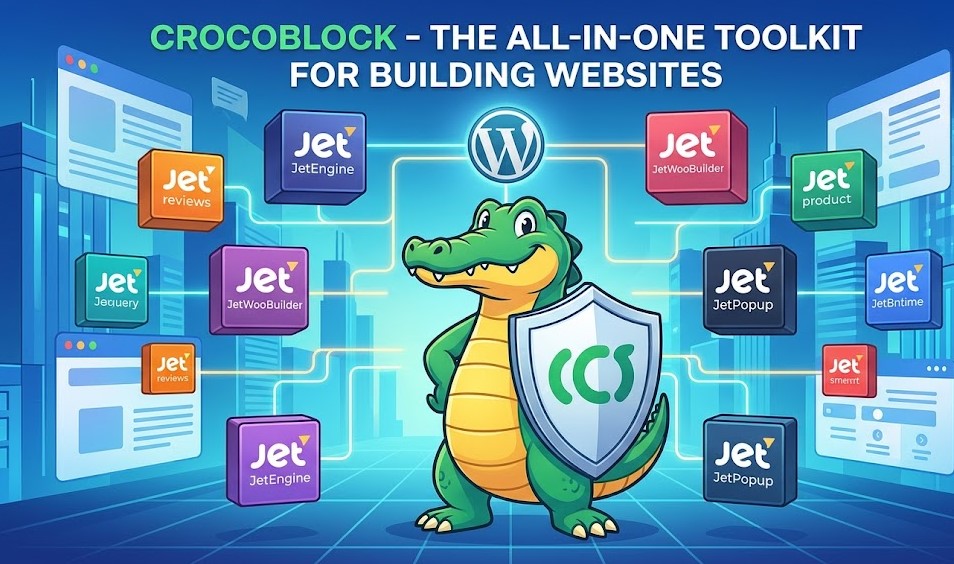
In today’s fast-evolving web ecosystem, building a simple static website is no longer enough to meet user expectations, and this is where crocoblock becomes a game-changing solution for WordPress users who want to create dynamic, interactive, and highly customizable websites without writing complex code. Crocoblock is a powerful toolkit that works seamlessly with WordPress and popular page builders to help users design advanced websites with dynamic content, custom layouts, and flexible functionality, making it ideal for bloggers, businesses, agencies, and developers who want more control over their web projects.
Unlike traditional WordPress setups that rely on multiple separate plugins for different features, crocoblock brings everything into one unified ecosystem, allowing users to build complex websites such as real estate listings, job portals, directories, and eCommerce platforms with ease, while maintaining performance and design consistency. This approach not only saves time but also reduces compatibility issues and simplifies the entire development process, making it possible for even non-technical users to create professional-grade websites that feel modern, responsive, and user-friendly.
What is Crocoblock and How It Works with Elementor
crocoblock is a comprehensive WordPress toolkit designed to extend the functionality of page builders, especially Elementor, by adding advanced dynamic features that are not available in default WordPress setups. It works as a collection of plugins that integrate directly into the WordPress environment, allowing users to build complex layouts, dynamic templates, and interactive content structures without needing deep coding knowledge. At its core, Crocoblock enhances Elementor by unlocking capabilities like custom post types, dynamic fields, and advanced query systems, making website creation far more flexible and powerful.
When combined with Elementor, crocoblock transforms the way websites are designed by allowing real-time visual editing of dynamic content pulled directly from the WordPress database. This means users can create templates once and apply them across multiple pages or content types, ensuring consistency and efficiency in design. For example, a single template can be used to display hundreds of blog posts, product listings, or service pages, all dynamically populated with unique content. This integration is especially valuable for developers and agencies who want to speed up workflows while still delivering highly customized and scalable websites.
Key Features of Crocoblock Toolkit
The strength of crocoblock lies in its wide range of powerful features that are designed to simplify advanced WordPress development while still offering deep customization options. One of its most important features is the ability to create dynamic content structures using custom post types, custom fields, and taxonomies, which allows users to build websites that go far beyond standard blog or page layouts. This makes it possible to design complex platforms like directories, booking systems, and listing websites without writing backend code.
Another major feature of crocoblock is its advanced design flexibility, which gives users full control over how content is displayed through visual builders like Elementor. Instead of relying on fixed templates, users can create conditional layouts, dynamic listings, and interactive filters that respond to user input in real time. This level of control ensures that websites are not only visually appealing but also highly functional and user-focused.
In addition to design capabilities, crocoblock also includes powerful widgets, popup builders, and form builders that enhance user engagement and website interactivity. These tools allow website owners to create lead generation forms, marketing popups, and interactive UI elements that improve conversions and user experience. Combined with performance optimization features, Crocoblock ensures that even feature-rich websites remain fast and responsive.
JetPlugins Ecosystem Explained
The crocoblock ecosystem is powered by a collection of specialized tools known as JetPlugins, each designed to handle a specific aspect of dynamic WordPress development. Instead of relying on a single monolithic plugin, Crocoblock breaks functionality into modular components, giving users the flexibility to activate only what they need. This modular approach helps keep websites lightweight while still offering enterprise-level functionality for complex projects.
JetPlugins cover a wide range of use cases, from content creation to advanced filtering and dynamic display systems. For example, some plugins focus on building custom post types and dynamic fields, while others handle listing grids, booking systems, or WooCommerce enhancements. This makes the ecosystem highly adaptable, whether you’re building a simple business website or a large-scale directory platform with thousands of entries.
What makes the JetPlugins ecosystem particularly powerful is how seamlessly all components work together within Elementor. Users can combine different JetPlugins to create fully dynamic websites where content is automatically pulled, filtered, and displayed based on user behavior or database queries. This interconnected system removes the need for multiple third-party solutions and ensures smoother performance, better compatibility, and easier long-term maintenance.
Building Dynamic Content Without Coding
One of the most powerful advantages of crocoblock is its ability to let users build fully dynamic websites without writing a single line of code. Traditionally, creating dynamic content in WordPress required strong knowledge of PHP, custom queries, and database structures, but Crocoblock simplifies this process by offering visual tools that handle everything behind the scenes. This makes it accessible not only to developers but also to designers, marketers, and business owners who want full control over their websites.
With crocoblock, users can create custom post types, dynamic fields, and content templates that automatically pull data from the WordPress database. For example, instead of manually designing each product or listing page, users can design one template and apply it across hundreds of entries, with each page displaying unique content dynamically. This approach saves significant time while maintaining consistency and professionalism across the entire website.
Another important aspect is the use of visual query builders and dynamic widgets, which allow users to control how content is displayed based on filters, conditions, or user input. This means websites can offer advanced features like searchable directories, filterable product catalogs, or location-based listings without backend development. By combining these tools, Crocoblock turns WordPress into a fully flexible content management system capable of powering complex web applications.
Crocoblock for E-commerce and Business Websites
For online stores and business websites, crocoblock provides a strong foundation to build highly customized and conversion-focused platforms using WordPress. Instead of relying on limited default WooCommerce layouts, Crocoblock allows store owners to design completely tailored product pages, category layouts, and checkout experiences that match their brand identity and customer expectations. This level of control helps businesses stand out in competitive markets where user experience directly impacts sales.
Crocoblock is especially useful for businesses that need advanced filtering, search systems, and dynamic product displays. For example, an e-commerce store can offer smart filters based on price, category, availability, or custom attributes, making it easier for customers to find exactly what they need. Similarly, service-based businesses can build booking systems, appointment forms, and inquiry workflows that are fully integrated into their website structure without requiring third-party platforms.
Beyond e-commerce, crocoblock is also widely used for corporate websites, agencies, and startups that need scalable digital solutions. It enables businesses to create landing pages, portfolio showcases, and lead generation funnels with dynamic content that can be updated easily. This flexibility ensures that as a business grows, its website can evolve without requiring a complete redesign or redevelopment, making Crocoblock a long-term investment in digital infrastructure.
Performance, SEO, and Customization Benefits
When using crocoblock, performance and customization go hand in hand, making it a strong choice for building modern WordPress websites that need to balance speed with advanced functionality. Even though it offers a wide range of powerful features, Crocoblock is designed in a modular way, meaning users can activate only the tools they need. This helps reduce unnecessary load on the website and improves overall performance when properly configured with optimized hosting and caching solutions.
From an SEO perspective, crocoblock supports better website structure by enabling clean content architecture, dynamic internal linking, and well-organized custom post types. Search engines prefer websites that are easy to crawl and logically structured, and Crocoblock makes it easier to build such systems through its template-driven approach. Dynamic content also allows site owners to scale content production efficiently, which is a key factor in improving organic visibility over time.
Customization is another major strength of Crocoblock, as it gives users full control over design elements, layouts, and user interactions without being limited by theme restrictions. Every section of a website can be personalized, from headers and footers to individual content blocks and dynamic listings. This level of flexibility ensures that websites not only perform well but also deliver a unique user experience that aligns with branding and business goals.
Pricing, Use Cases, and Final Thoughts
The crocoblock toolkit is offered through different pricing plans depending on the number of websites and features a user needs, making it suitable for freelancers, agencies, and businesses of all sizes. Instead of purchasing multiple individual plugins separately, users get access to a complete ecosystem, which often turns out to be more cost-effective in the long run. This bundled approach also ensures better compatibility between tools, reducing the chances of plugin conflicts that are common in fragmented WordPress setups.
In terms of use cases, crocoblock is extremely versatile and can be used to build almost any type of website, including real estate platforms, job boards, online directories, eCommerce stores, booking systems, and corporate websites. Agencies particularly benefit from its scalability, as they can reuse templates and dynamic structures across multiple client projects, significantly reducing development time while maintaining high-quality output. Even solo developers can leverage it to create complex websites without needing large development teams.
Overall, crocoblock stands out as a powerful solution for anyone looking to move beyond basic WordPress websites and into the world of dynamic, data-driven web applications. While it may require a learning curve for beginners, the long-term benefits in terms of flexibility, scalability, and design control make it a strong investment for serious website creators who want to build modern, professional-grade digital experiences.
Conclusion
In conclusion, crocoblock is a powerful and flexible WordPress toolkit that transforms the way modern websites are built by enabling users to create fully dynamic, interactive, and highly customizable web experiences without relying heavily on coding. It brings together a complete ecosystem of tools that simplify everything from design and content management to advanced filtering and dynamic data display, making it a valuable solution for beginners, developers, and agencies alike. While it may take some time to learn, its long-term benefits in scalability, efficiency, and design freedom make it a strong choice for building professional websites that can grow with business needs.
FAQs
1. What is Crocoblock used for?
It is used to build dynamic WordPress websites with advanced features like custom post types, filters, and interactive content without coding.
2. Does Crocoblock work with Elementor?
Yes, it is fully integrated with Elementor and extends its functionality with powerful dynamic design tools.
3. Is Crocoblock good for beginners?
Yes, but beginners may need some time to learn its features since it offers advanced customization options.
4. Can Crocoblock be used for eCommerce websites?
Yes, it works well with WooCommerce and allows full customization of product pages, layouts, and user experience.
For More Updates Visit: blogangle